
Switch between monthly and annual billing
Choose to pay monthly or yearly, what annual saves, and how to switch once you're subscribed.
Pro and Team can be paid monthly or once a year. Paying yearly costs less:
| Plan | Monthly | Annual |
|---|---|---|
| Pro | $12.50 a month | $10 a month, charged $120 once a year |
| Team | $10 per seat a month | $8 per seat a month, charged $96 per seat once a year |
Prices are in US dollars.
Choose when you subscribe
Section titled “Choose when you subscribe”On Settings›Billing, the Monthly and Annual switch above the plans sets how you’ll pay. The plan prices change to match, and the order summary shows exactly what you’ll be charged and how often it renews.
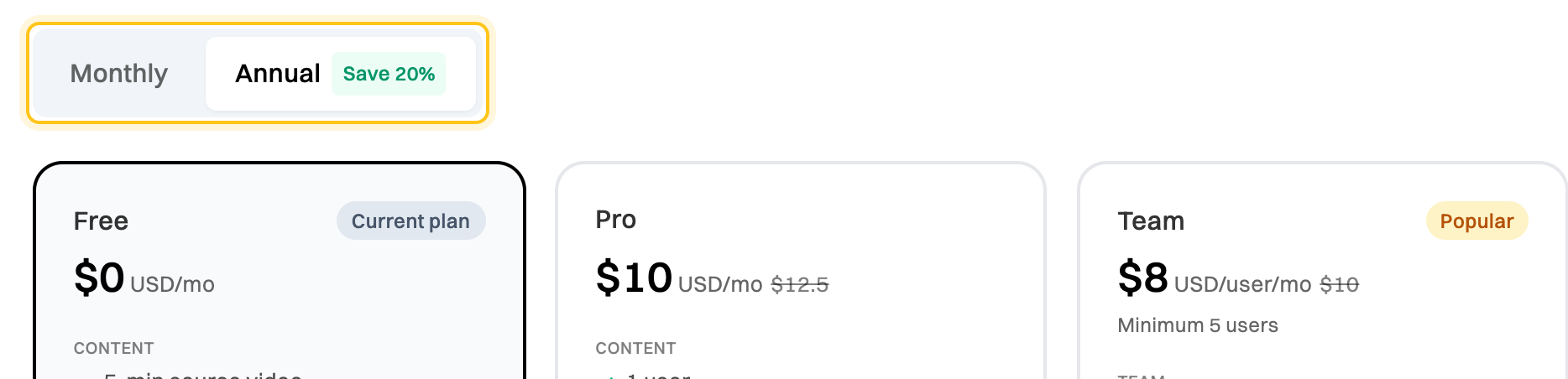
The switch is there while you’re on Free or on a Pro trial. See Upgrade to Pro or Upgrade your organization to Team.
Switch once you’re subscribed
Section titled “Switch once you’re subscribed”Once you’re paying, you can’t switch between monthly and annual yourself. Contact support and tell us which you’d like. On a Team plan, the request has to come from an Admin.
The Billing tab shows how you pay now, for example Pro – Monthly, or Annual Billing on the Team plan banner.
Don’t cancel and subscribe again to switch. A canceled plan runs to the end of the period you’ve paid for, so you could pay for both.