Recognition, points and awards
Thank a colleague in front of the whole organization, spend your monthly points, and nominate and vote in award rounds.
Recognition is how people thank each other in Wikidoc, where everyone can see it. Each post says who did what, which of your organization’s values it shows, and how many points it’s worth. Everything is on one wall.
The wall
Section titled “The wall”Click Recognition in the sidebar. Wall shows what colleagues have recognized each other for, newest first. Everyone in your organization can see it.
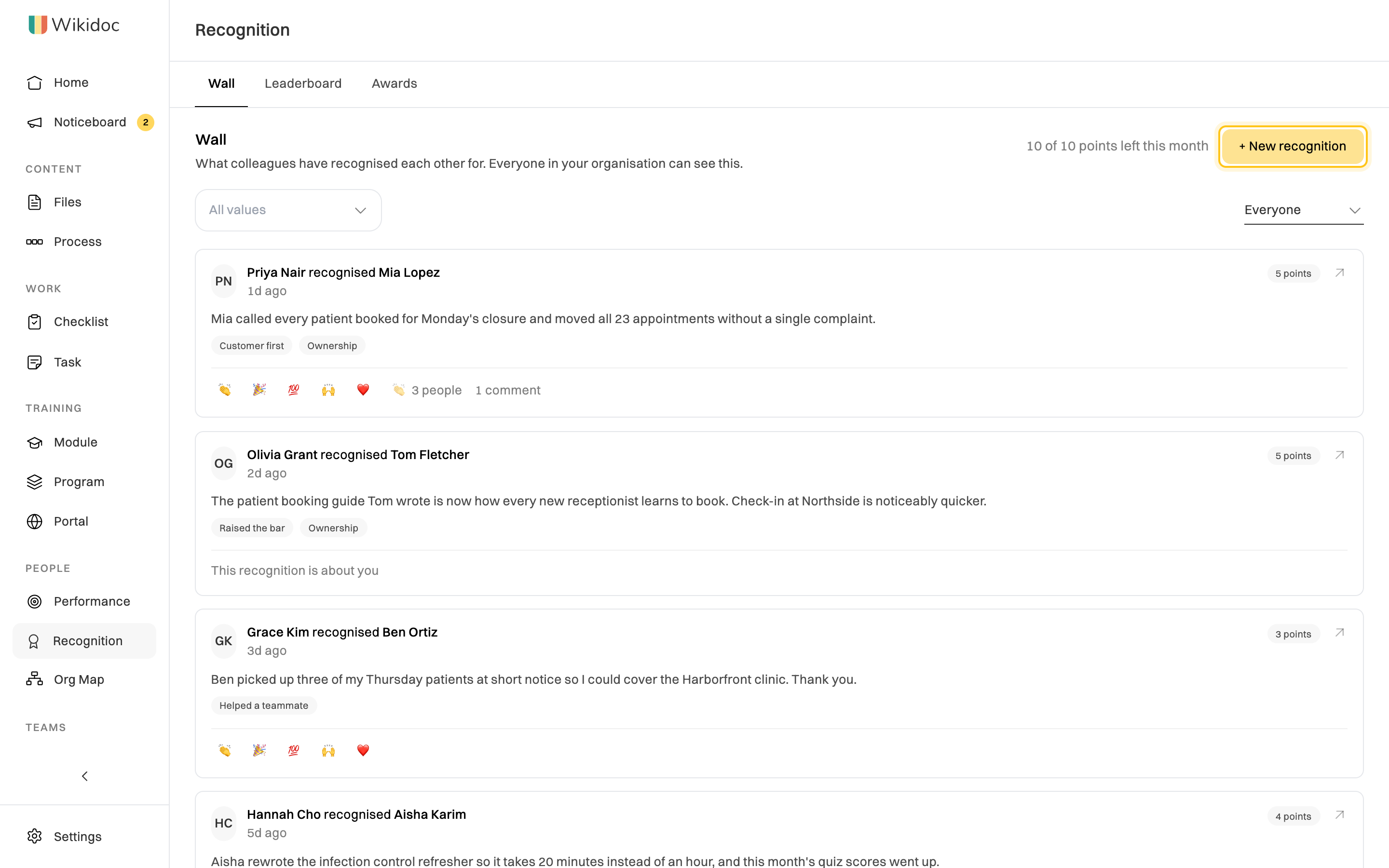
Under a post, click a reaction to applaud it, or open it to comment. To see only posts with one value, use All values. To see posts about you, change Everyone to About you.
Recognize someone
Section titled “Recognize someone”-
On the wall, click + New recognition.
-
Under Who are you recognising?, start typing a name and pick the person. You can add several people for work done together.
-
Say what they did and what difference it made. Be specific. To tidy up your wording, click Polish my wording, then Use this if you like the suggestion.
-
Pick the value it’s about.
-
Choose How many points is this worth? The box shows how many you’ll have left this month.
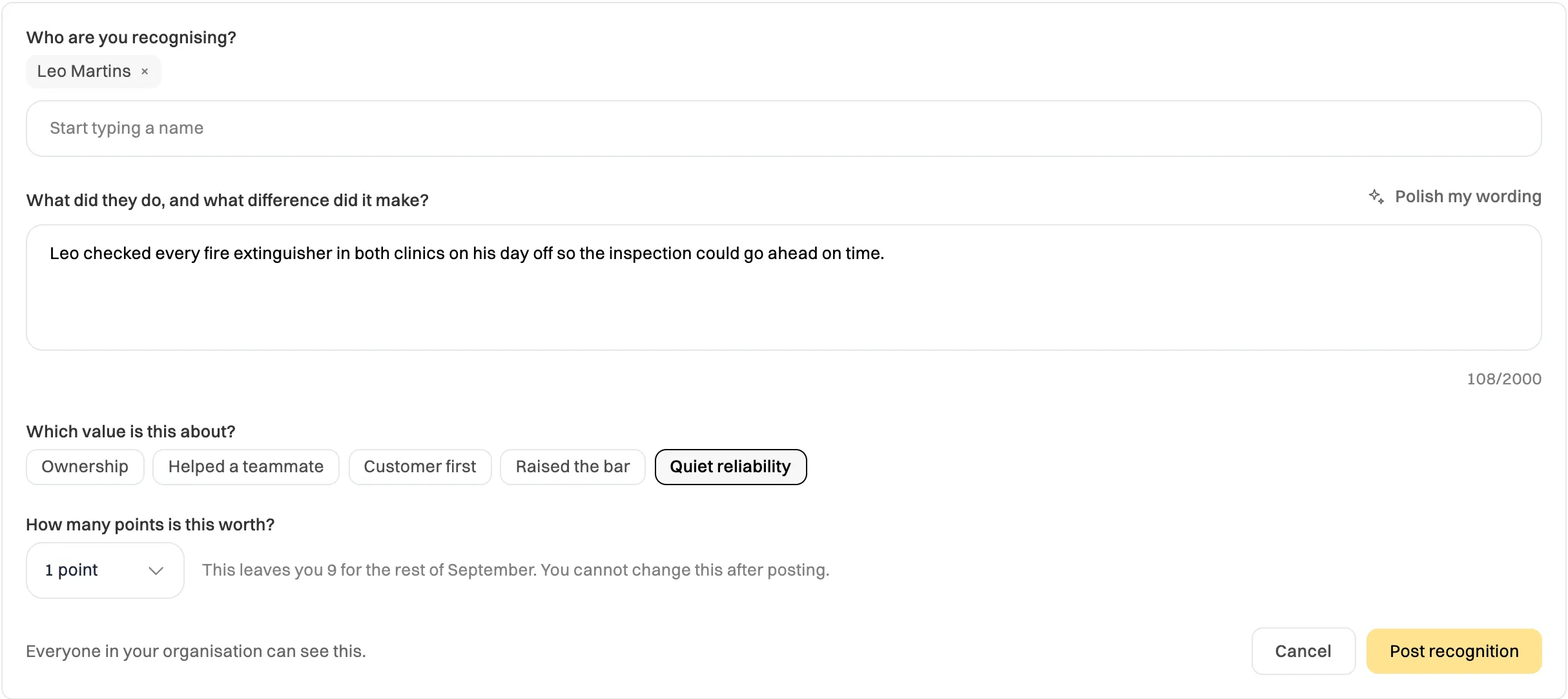
Points can't be changed after you post. -
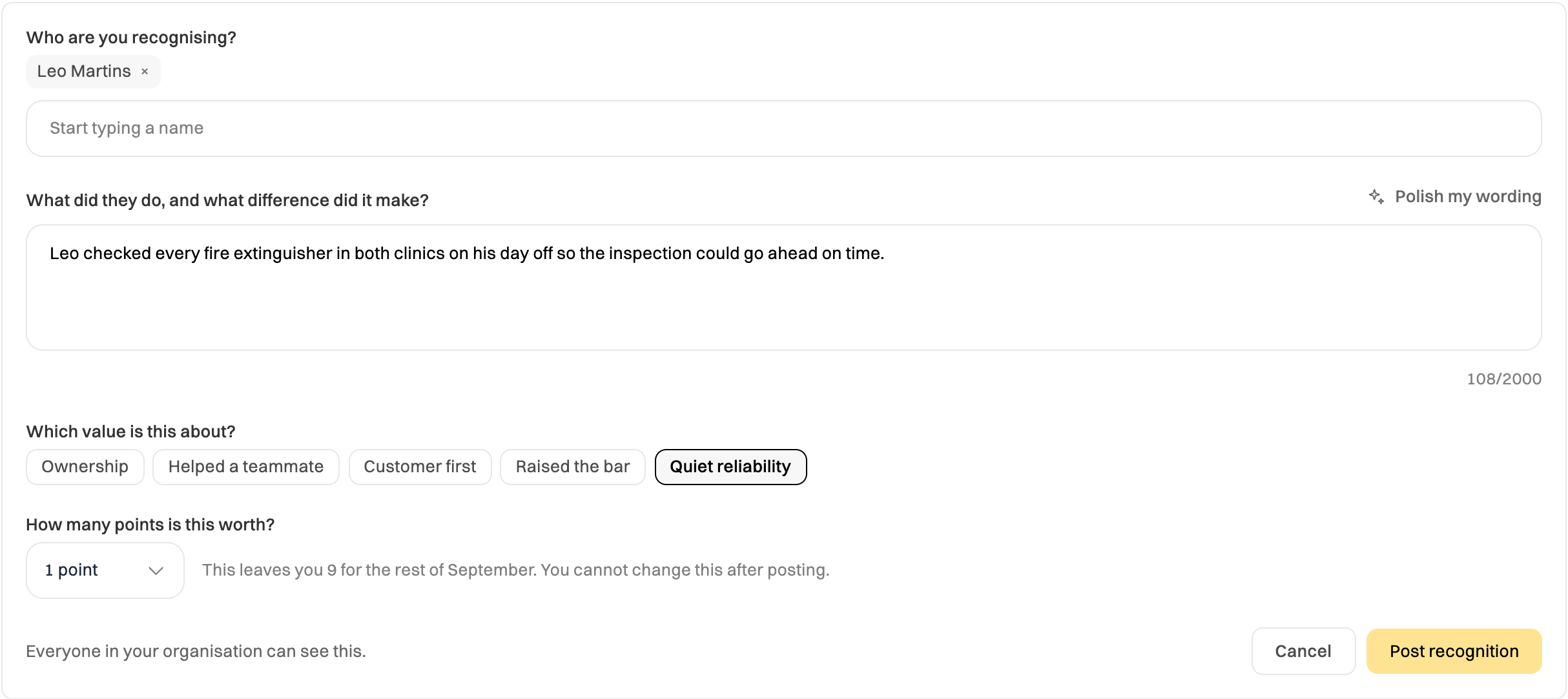
Click Post recognition.
The people you recognize get an email. You can edit your post for 15 minutes after posting. After that its wording is fixed, but you can delete your own post at any time: open it and click Delete.
If a post is about you and you’d rather it wasn’t on the wall, open it and click Hide this from the wall. Only the people a post is about can hide it, and only its author can edit or delete it. Admins can’t do either.
Monthly points
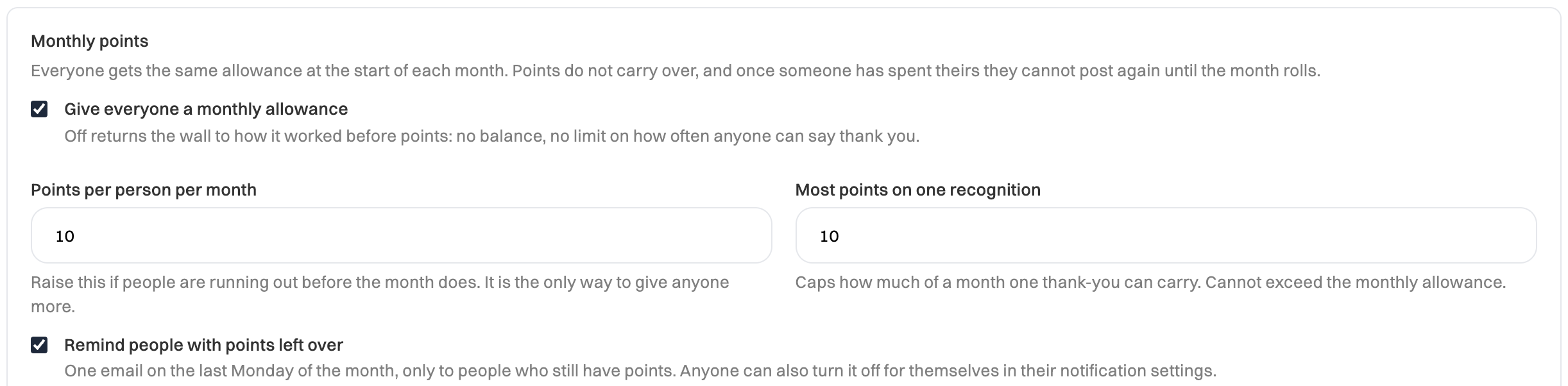
Section titled “Monthly points”Everyone gets the same allowance of points at the start of each month, 10 unless your Admin changes it. Each recognition you post uses the points you give it. Points don’t carry over, and once you’ve spent yours, you can’t post again until the next month.
If you still have points on the last Monday of the month, you get one reminder email. You can turn it off under Unused recognition points in your notification settings.
The leaderboard
Section titled “The leaderboard”Click Leaderboard to see who’s been recognized by the most different colleagues, and who has recognized the most, this quarter. Choose another period, or one department, at the top.
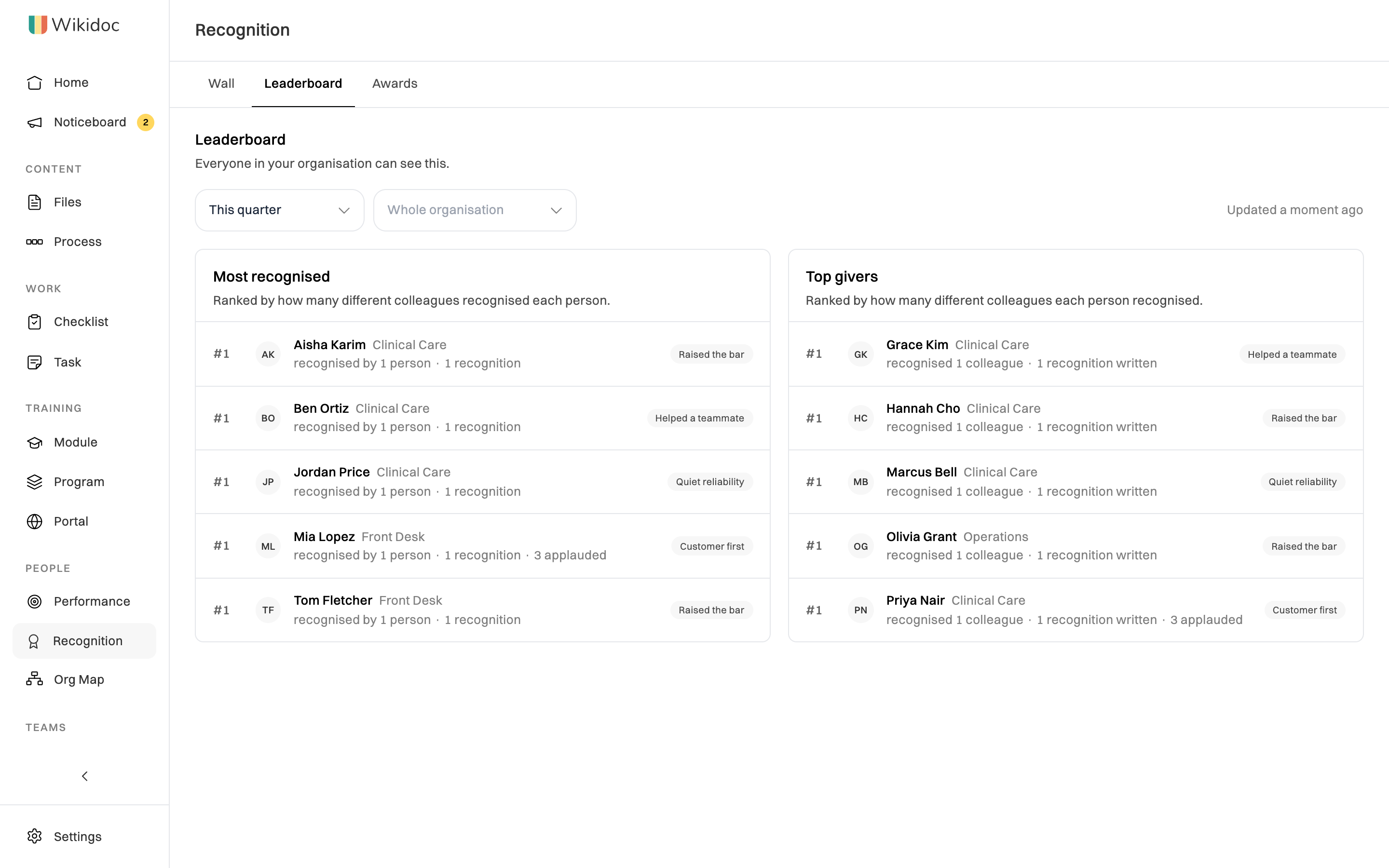
Small organizations don’t have a leaderboard: it only appears once enough people are in it. An Admin can also turn it off.
Award rounds
Section titled “Award rounds”An award round, such as Employee of the Month, has three stages:
- Nominations. Anyone can nominate a colleague and say why. Your name is shown on your nomination. You can’t nominate yourself.
- Voting. Everyone gets one secret vote. You can’t vote for yourself.
- The decision. Once voting closes, the Manager or Admin running the round confirms the winner, and it’s announced on the wall. Nominations that didn’t win are never published.
To nominate someone, click Awards, open the round, and click Nominate a colleague.
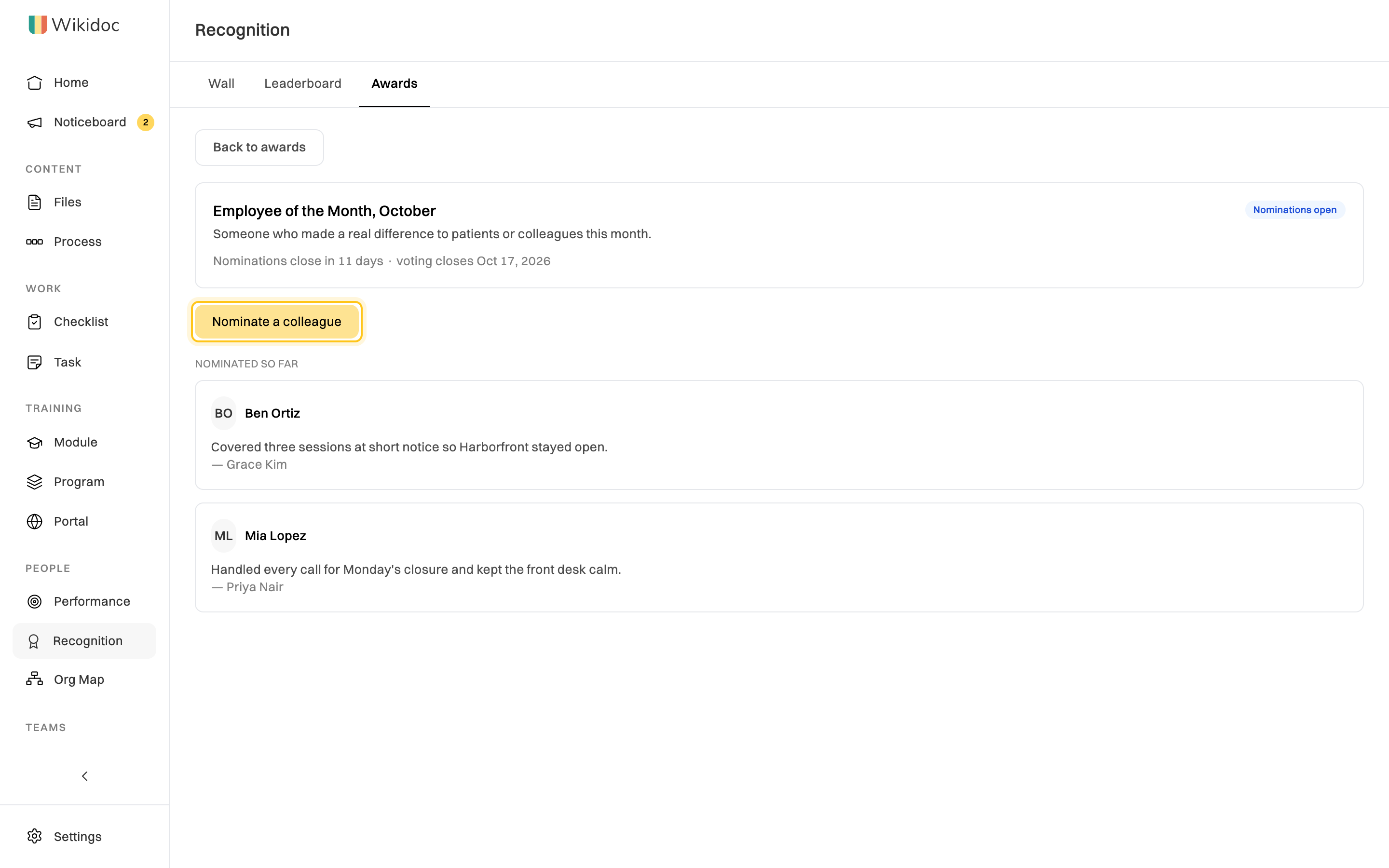
To run a round (Managers and Admins): on the Awards tab, click Open a round. Give the award a name, say what it’s for, and set when nominations close and when voting closes. When voting has closed, open the round and click Confirm the winner.
Settings for Admins
Section titled “Settings for Admins”Admins can change how recognition works on the Settings tab. Click Save when you’re done.
- Values: rename the five starting values to match how your organization talks about its work, add new ones or archive them.
- Posting: whether every recognition needs a value, how many people one post can name, how many posts a person can make a day, and how long authors can edit a post.
- Leaderboard: turn it on or off, its period, how many people it shows, and the smallest organization size that gets one.
- Monthly points: turn the allowance on or off, how many points each person gets, the most one recognition can carry, and whether to send reminders.