
Upgrade to Pro
Move from Free to Pro, billed monthly or annually.
Pro is for one person who documents a lot. It removes the Free limits, with unlimited documents, process maps, training modules, slides and quizzes, and adds more storage, languages and voices. See Plans compared.
Pro is $12.50 a month, or $10 a month billed annually ($120 a year). Pro covers only your own account. To upgrade everyone in your organization, see Upgrade your organization to Team.
Upgrade
Section titled “Upgrade”-
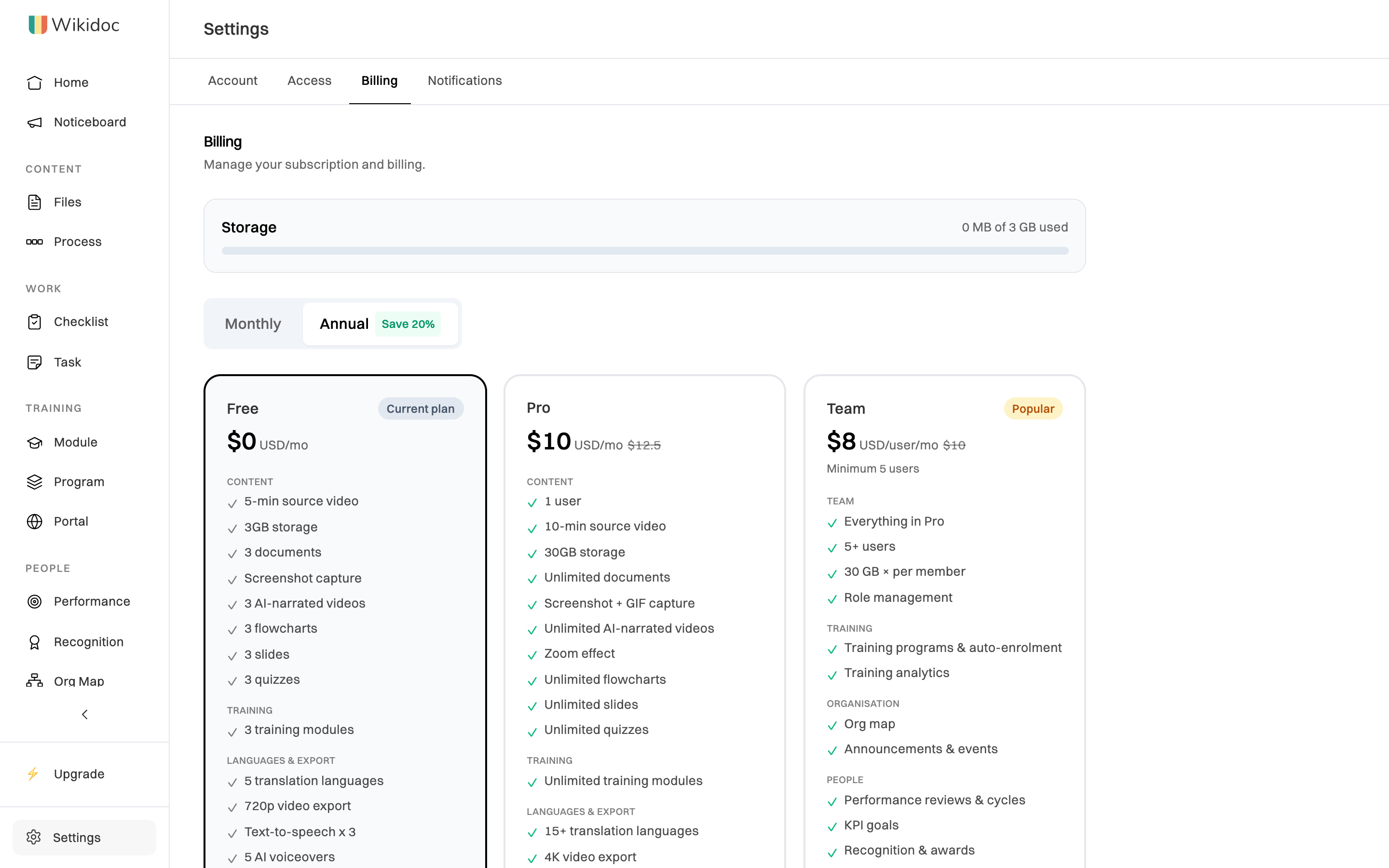
Go to Settings›Billing, or click Upgrade in the sidebar.
-
Choose Monthly or Annual, then click Upgrade to Pro.
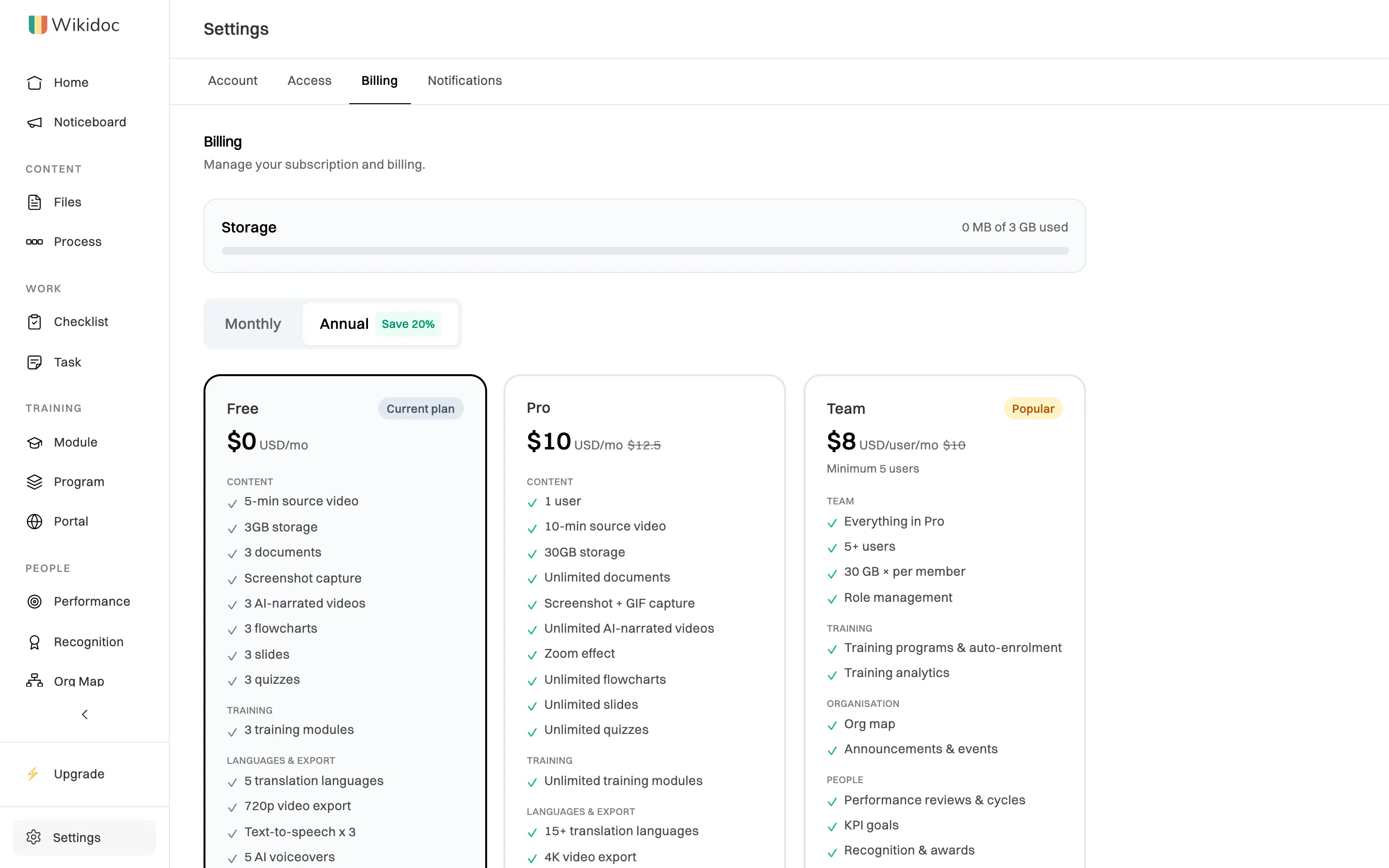
Pick monthly or annual billing above the plans. -
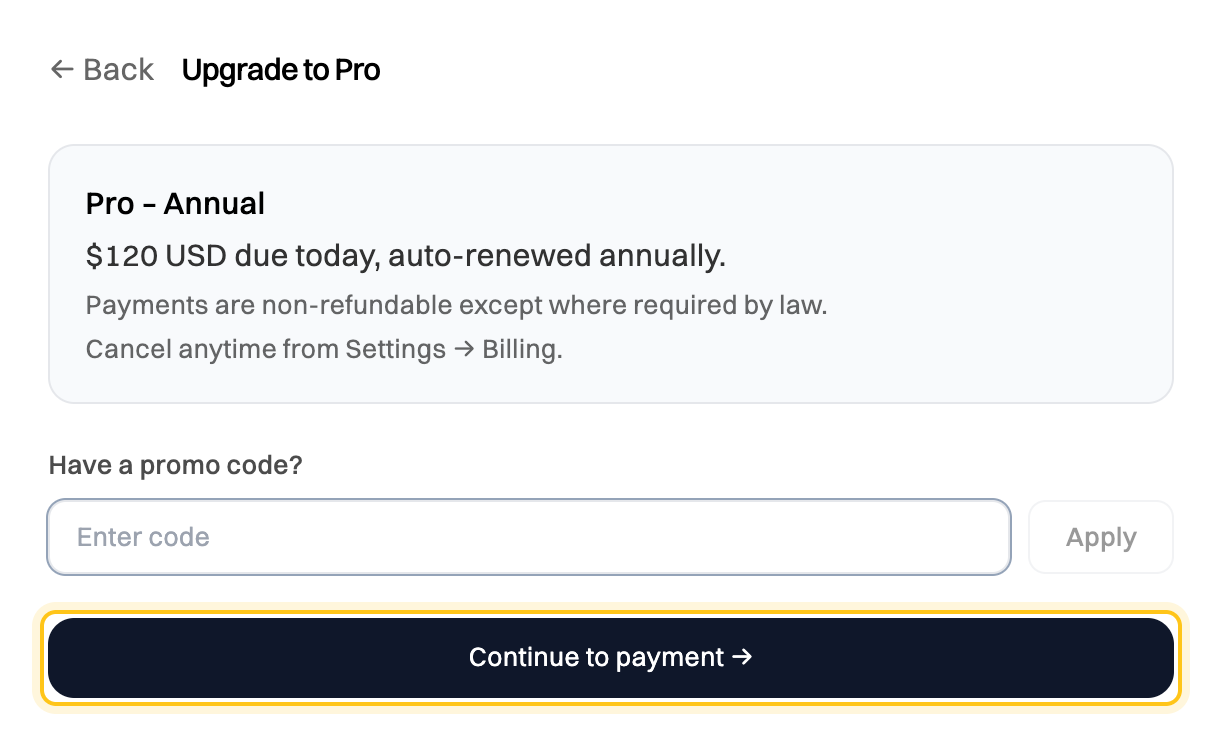
Check the summary: the plan, the amount due today, and how often it renews. If you have a promo code, enter it and click Apply.
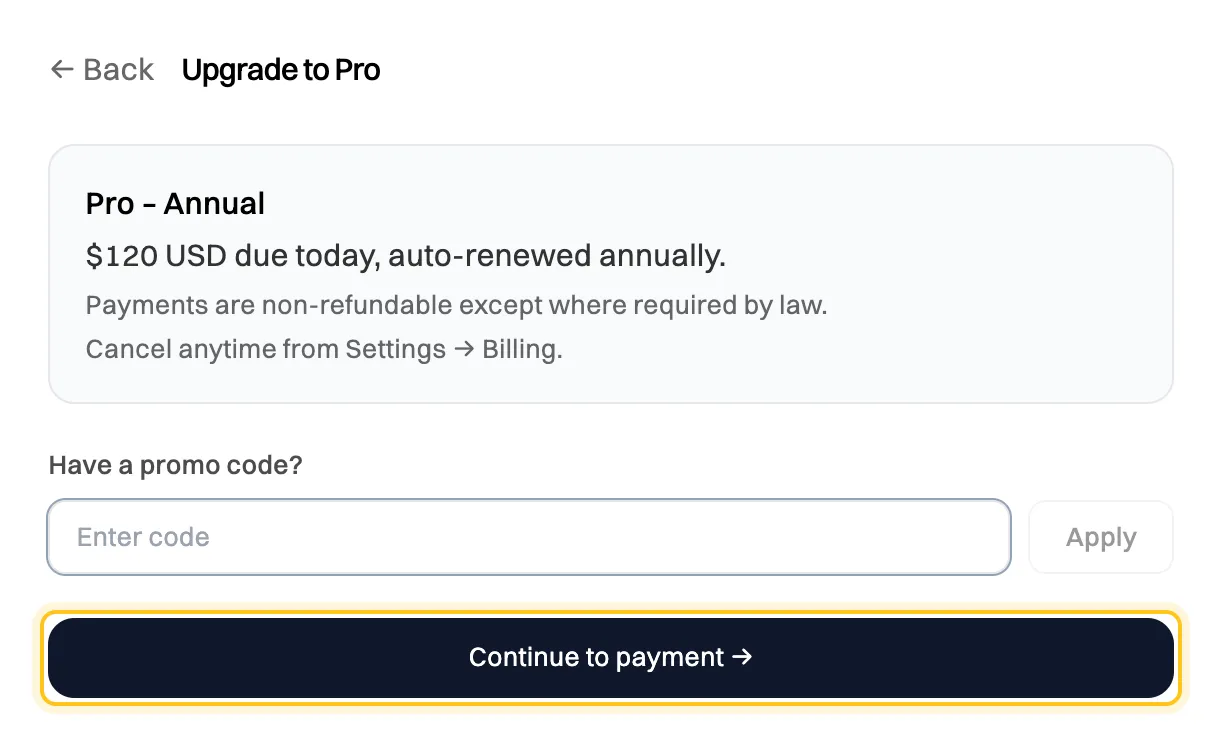
What you'll pay today and how often it renews. -
Click Continue to payment, enter your card details, and pay.
When the payment goes through, you’ll see Welcome to Pro!. Pro features are on straight away.
What to know
Section titled “What to know”- It renews automatically, monthly or annually, until you cancel. Cancel any time from Settings›Billing. See Cancel your subscription.
- Payments are non-refundable, except where the law requires a refund.
- Prices are in US dollars. You pay by card.
- Receipts: we email a receipt each time your subscription renews. You can turn these emails off in Settings›Notifications.
- Your payments are listed under Billing history on the Billing tab.