
Unsubscribe from an email
Use the link at the bottom of a Wikidoc email to stop that kind of email, and turn it back on later.
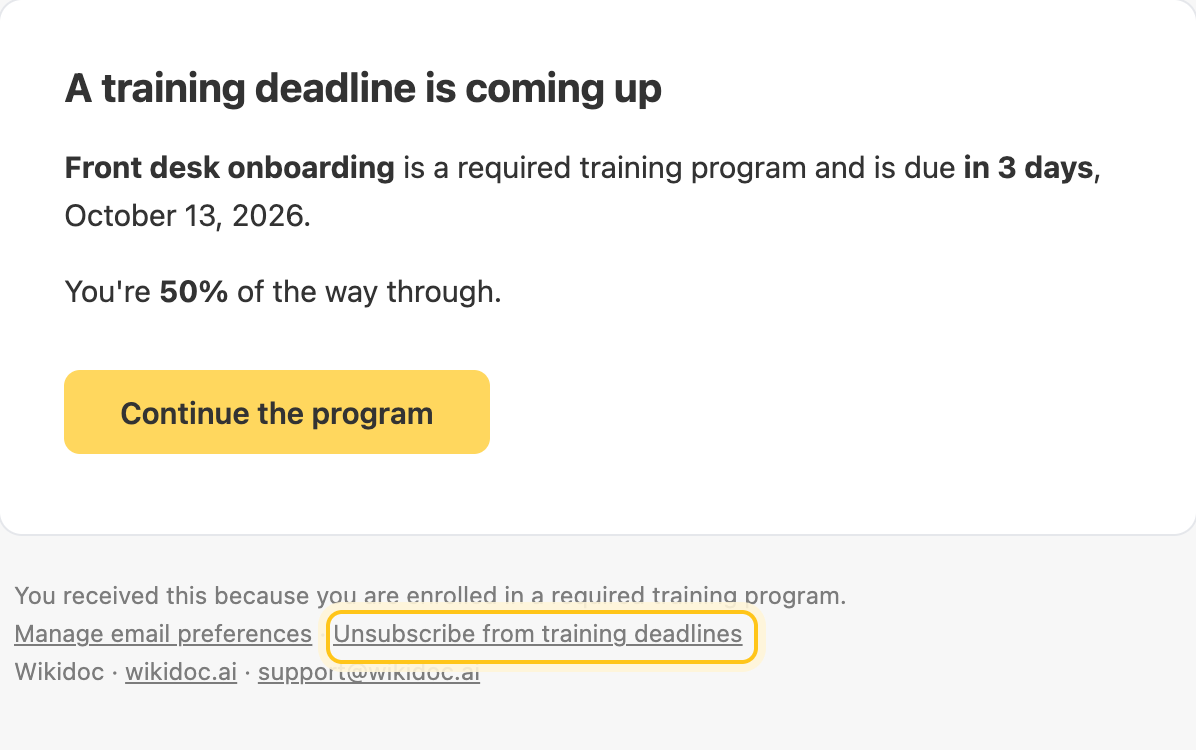
Every Wikidoc email you can turn off has an unsubscribe link at the bottom. It stops that one kind of email, such as training deadline reminders, and leaves the rest as they are. You don’t need to sign in.
Unsubscribe
Section titled “Unsubscribe”At the bottom of the email, click Unsubscribe from and the kind of email, for example Unsubscribe from training deadlines.
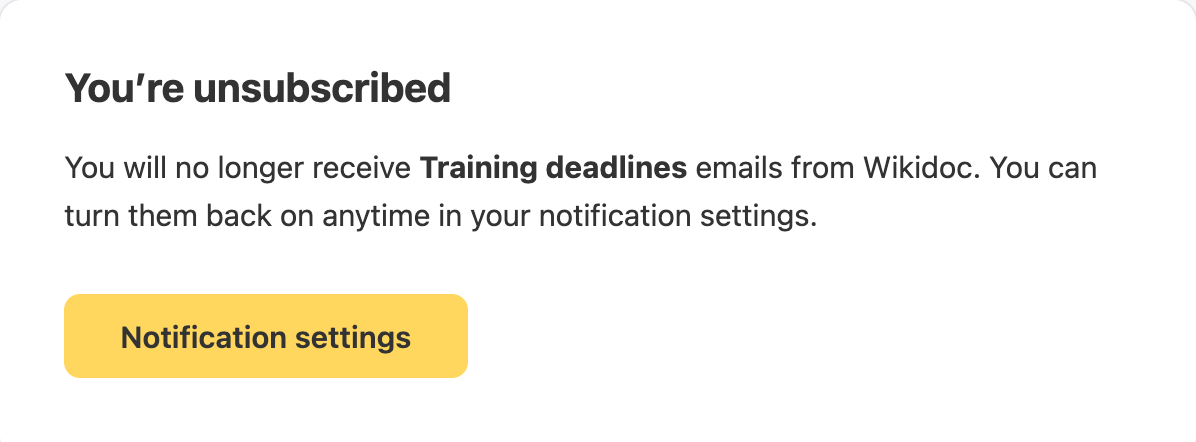
A page confirms it straight away.
Many email apps, such as Gmail and Outlook, also show their own Unsubscribe button at the top of a Wikidoc email. It does the same thing.
What changes
Section titled “What changes”- Only that kind of email stops. It’s the same as switching it off in Settings›Notifications.
- Nothing in the app changes. The notifications still appear on your Activity page. See How notifications work.
- It’s only your setting. Nobody else’s emails change.
To stop several kinds at once, click Manage email preferences at the bottom of any email, or go to Settings›Notifications. See Turn email notifications on or off.
Turn it back on
Section titled “Turn it back on”Go to Settings›Notifications and switch that kind of email back on. The Notification settings button on the confirmation page takes you there.
Emails without an unsubscribe link
Section titled “Emails without an unsubscribe link”Emails about your account, such as password resets and failed payments, have no unsubscribe link, because you need them. See Emails you can’t turn off.
If something goes wrong
Section titled “If something goes wrong”“This link is invalid or expired”. The link was changed or cut short, often by being copied from the email. Go to Settings›Notifications and switch the email off there instead.
I still get the emails. Check you unsubscribed from the right kind: each link stops only the kind of email it names. If they keep coming, contact support.