
Upgrade your organization to Team
Put your whole organization on Team: choose seats, pay once for everyone.
Team puts your whole organization on one subscription. Everyone gets everything in Pro, plus training programs, the org map, checklists, approvals, analytics, performance reviews, recognition, client portals, task boards and the Noticeboard. See Plans compared.
Team is $10 per seat a month, or $8 per seat a month billed annually ($96 per seat a year). You buy at least 5 seats.
Upgrade
Section titled “Upgrade”-
Go to Settings›Billing.
-
Choose Monthly or Annual above the plans.
-
On the Team card, set the Number of seats. It starts at your current member count, and the total updates as you change it.
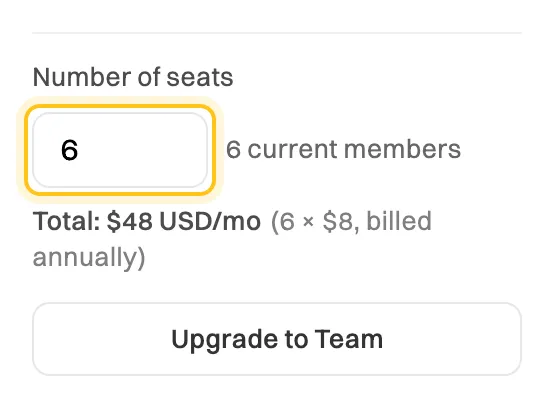
One seat for each member. The total is per month, even when billed annually. -
Click Upgrade to Team and check the summary. If you have a promo code, enter it and click Apply.
-
Click Continue to payment, enter your card details, and pay.
When the payment goes through, you’ll see Welcome to Team!. Everyone in your organization moves to Team straight away. You don’t need to do anything for each member.
If you choose fewer seats than members
Section titled “If you choose fewer seats than members”You can buy fewer seats than you have members, but the Team card warns you first:
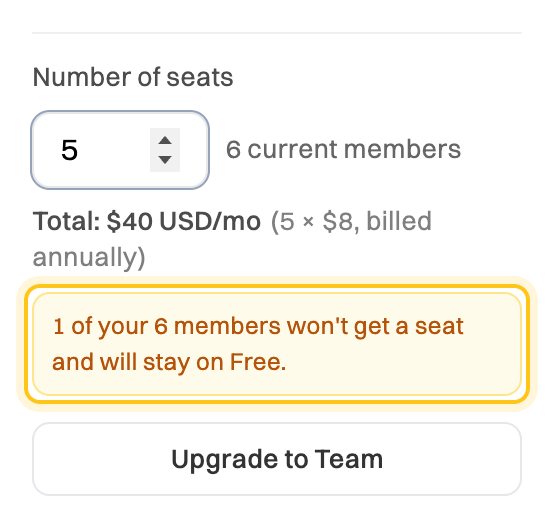
When you continue, the app asks you to confirm with Continue anyway, or go back with Change seats. If you go ahead, seats go first to you, then to the other Admins, then to everyone else in the order they joined. The rest stay on Free and wait as Pending on the Access tab until you add seats or remove someone. See How organizations, members and seats work.
After you upgrade
Section titled “After you upgrade”- New people who sign up with your email domain join automatically while you have free seats. After that, they wait for an Admin to approve them.
- Changing your seat count isn’t self-service yet. Contact support and we’ll adjust it. Don’t buy Team a second time: that would create a second subscription and bill you twice. See Add or reduce seats.
- Individual Pro subscriptions aren’t canceled for you. Anyone in your organization who pays for Pro can cancel it, since Team includes everything in Pro.
- It renews automatically until you cancel. Payments are non-refundable, except where the law requires a refund.