
How notifications work
Your Activity page and email, what each one gets, and what turning an email off does.
Wikidoc tells you about things that involve you in two places: your Activity page in the app, and email.
Your Activity page
Section titled “Your Activity page”When someone does something that involves you, such as commenting on your work, asking for your approval, assigning you a task, adding you to a team or recognizing you, it appears on your Activity page. The latest few also show on Home. Click View all there to open the full list.
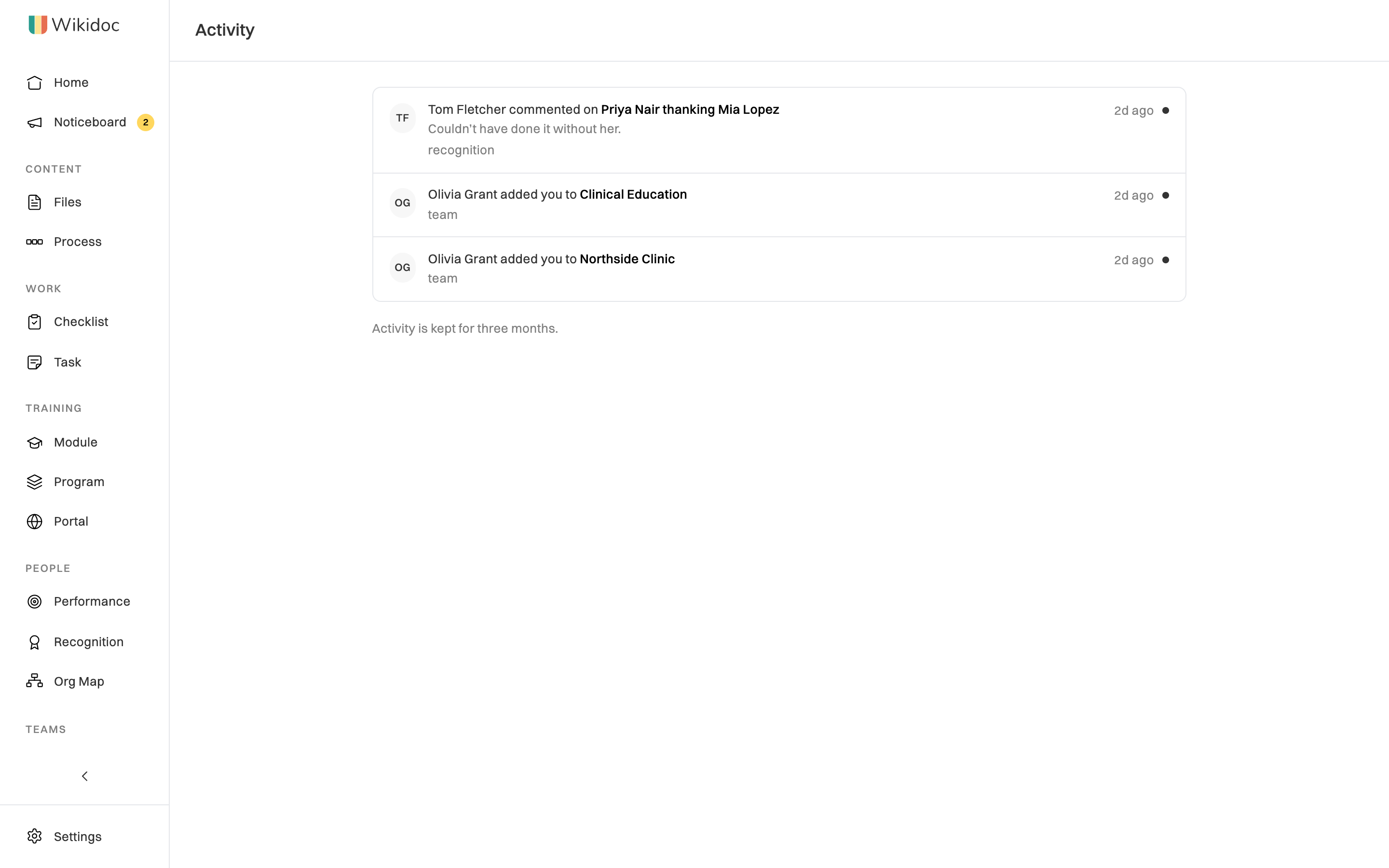
- A dot marks what’s new since you last opened the page.
- Click a row to go straight to the file, task or page it’s about.
- Activity is kept for three months.
Most of the same things are also emailed to you. You choose which kinds in Settings›Notifications. See Turn email notifications on or off.
Some emails are reminders rather than things someone did, such as training deadlines or unused recognition points. These come by email only.
A few emails are about your account or billing, and you can’t turn them off. See Emails you can’t turn off.
Turning an email off doesn’t hide anything in the app
Section titled “Turning an email off doesn’t hide anything in the app”A setting in Settings›Notifications stops the email only. The item still appears on your Activity page. If you turn off approval emails, for example, approval requests still reach you in the app, so nothing waiting on you gets lost.
Rules for every notification
Section titled “Rules for every notification”- You’re never notified about something you did yourself.
- Bursts are combined. When the same kind of thing happens on one item several times within about five minutes, such as a run of comments on one file, you get one notification about the first, not one for each.
- Muting one thing: you can mute a single task board or announcement where it appears, without changing your settings for everything else.