
Receipts and invoices
Where to find what you've paid: receipt emails and the billing history in Settings.
Every time you pay for Wikidoc, you get a receipt by email, and the payment is added to your billing history.
Receipt emails
Section titled “Receipt emails”- When you subscribe, a confirmation email lists your plan, how often you pay, the number of seats on a Team plan, and the amount.
- When your plan renews, a receipt shows the plan, the amount and the date it was paid.
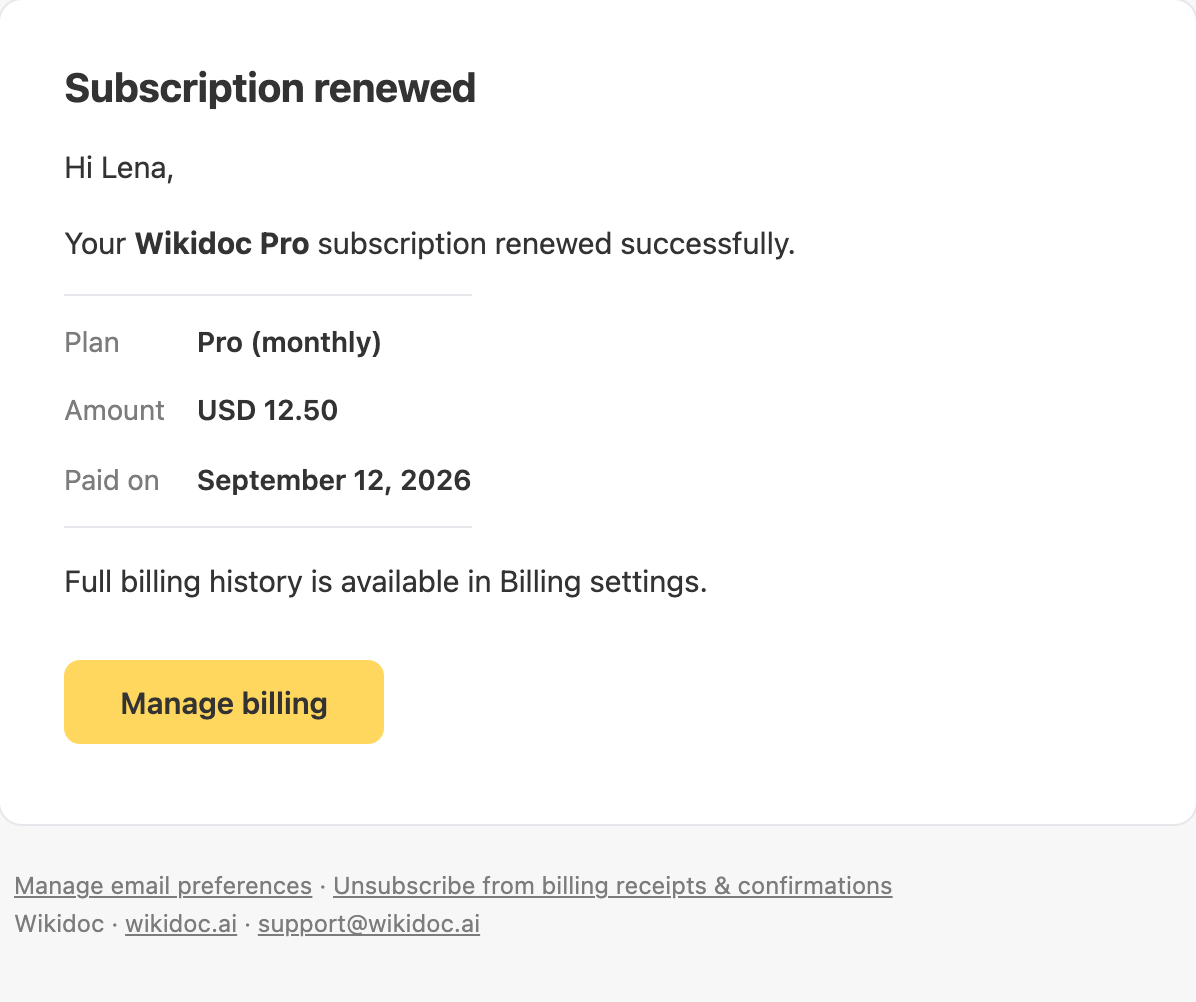
Receipts go to the person who pays: for Pro, you; for a Team plan, the Admin who bought it.
Receipts are on by default. You can turn them off under Receipts & confirmations in your notification settings, or with the link at the bottom of a receipt. Your billing history is kept either way. See Turn email notifications on or off.
Billing history
Section titled “Billing history”Open Settings›Billing and scroll to Billing history. Each payment shows its date, the plan and how often you pay, the amount and Paid.

On a Team plan, every Admin sees the organization’s Team payments here. Members who aren’t Admins don’t see them. A Pro plan’s payments are seen only by the person who pays for it.
Need a formal invoice?
Section titled “Need a formal invoice?”Wikidoc’s receipts show the plan, amount and date. If your finance team needs an invoice with your company’s details, or a copy of an old receipt, contact support with what you need.