
Certificates and how to verify one
Earn a certificate when you pass a module or finish a program, download it, and let anyone check it's genuine.
A certificate is proof that someone passed a training module or finished a program. Each one has its own web page, so anyone you show it to, such as an auditor, an insurer or a new employer, can check it’s genuine.
Turn certificates on
Section titled “Turn certificates on”Whoever builds the training decides whether it issues a certificate, and for how long it’s valid:
- Module: in the module’s settings, tick Issue certificate on pass and choose how long it’s Valid for. See Build a training module.
- Program: in the program details, tick Issue certificate on program completion. See Build and publish a training program.
Get your certificate
Section titled “Get your certificate”You get a certificate when you pass a module that issues one, or when you finish every required part of a program that does.
- Module: when you finish, Module Complete! shows your score. Click View Certificate. To see it again later, open the module: a module you’ve finished opens on that screen.
- Program: the certificate opens when you finish the program. To see it again, open the program and click View certificate at the top.
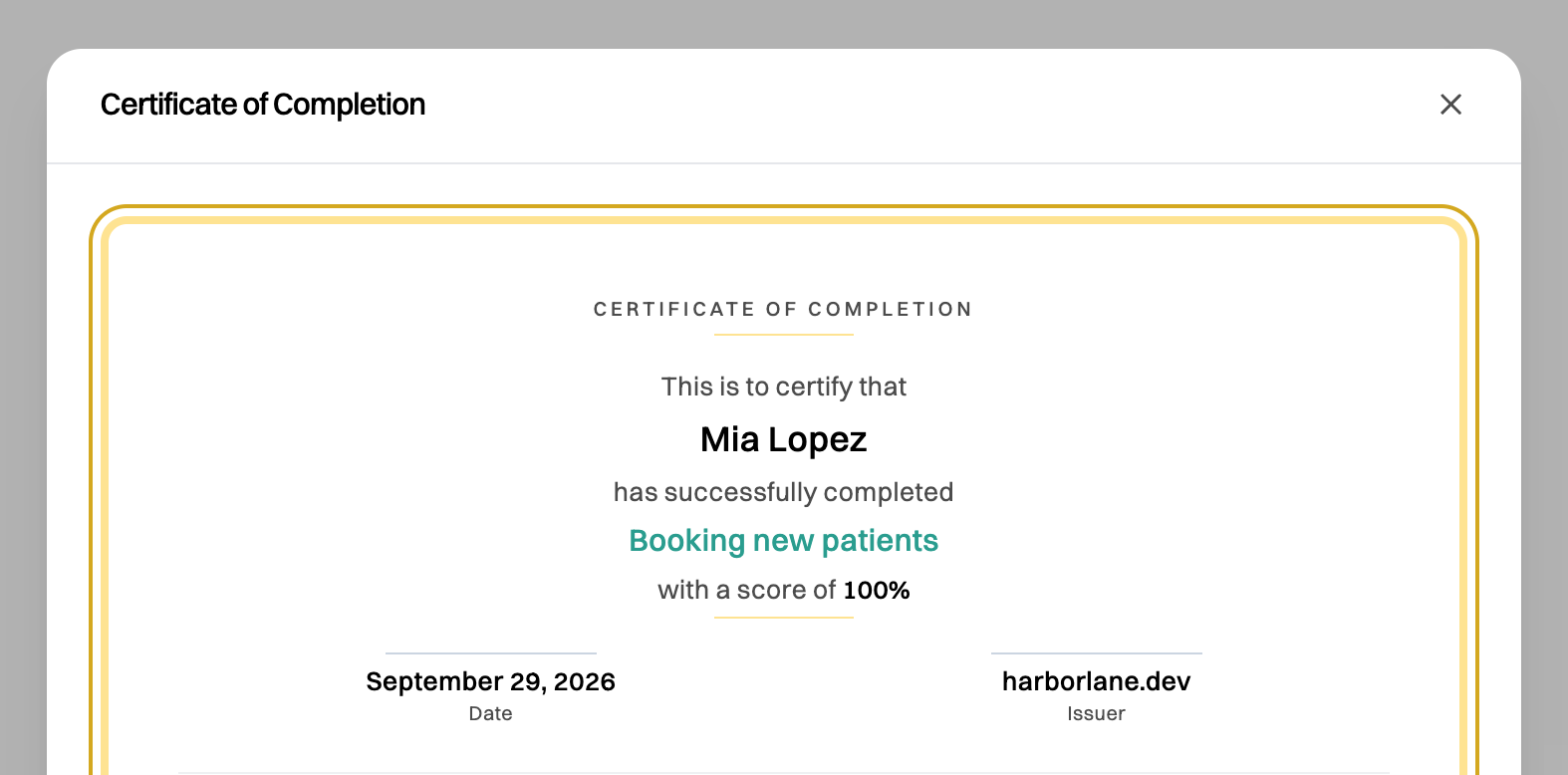
Click Download PDF to keep a copy. The PDF has a QR code and a link to the certificate’s own page.
Your name on the certificate
Section titled “Your name on the certificate”Certificates use the name on your Wikidoc profile. If your profile has no name, the certificate asks you to Add your name to this certificate: type your full name and click Save name. You can do this only once, so check the spelling. Set your name on your profile before you train to have it added for you. See Set up your organization.
Verify a certificate
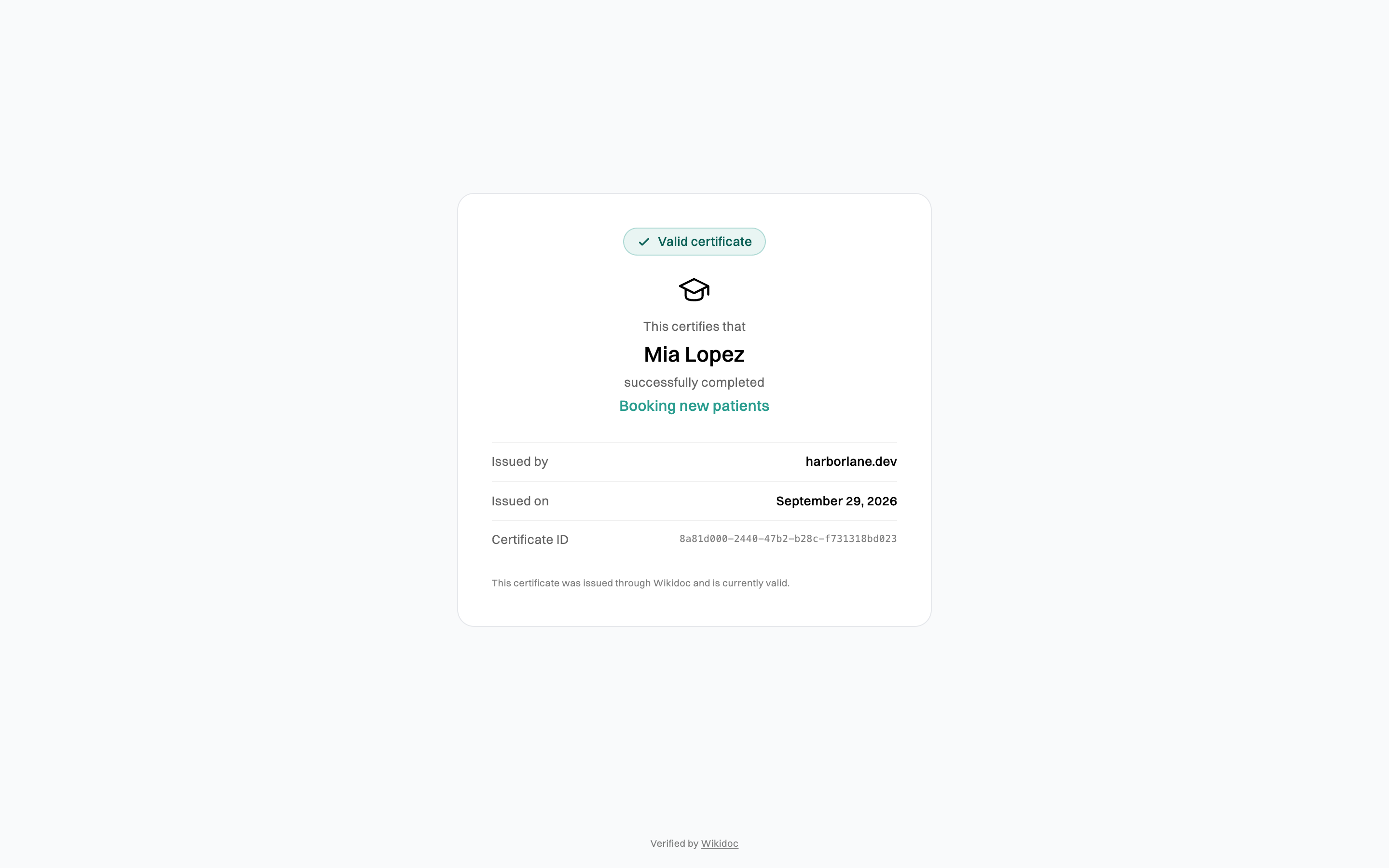
Section titled “Verify a certificate”Scan the QR code on the PDF, or open its link. The page shows, without signing in:
- whether the certificate is Valid, Expired or Revoked;
- who it was issued to, for which training, by which organization, and when;
- its Certificate ID.
When a certificate expires or is revoked
Section titled “When a certificate expires or is revoked”- Expired: the certificate was genuine but its Valid for period has ended. Take the module again and pass it to get a new certificate.
- Revoked: an Admin withdrew it, for example because it was issued by mistake. Admins revoke a certificate from View completions on the module (⋯ next to it on the Module page): click Revoke next to the learner’s certificate. Revoking can’t be undone, but the learner can earn a new certificate by passing the module again.