
Quick start: your first 15 minutes
Go from sign-up to your first process map and document, and bring in a colleague.
In your first 15 minutes you’ll create your account, turn a process you already know into a flowchart, and invite a colleague. You need a work email address and a process you can describe from memory, such as how you onboard a customer.
-
Create your account (2 minutes)
Go to app.wikidoc.ai/signup and sign up with your work email, or with Google. If you use a password, verify your email address when we send you the link.
-
Add your name (2 minutes)
Wikidoc welcomes you and asks for your name. Add your job title and a photo too, so colleagues recognize you, or click Skip for now.
-
Map a process (5 minutes)
Go to Process in the sidebar and click + New process map. In the Source panel, click Or paste a transcript directly, describe the process in a few paragraphs, and click Generate. Say who does each step, and where it branches (“If the customer already has an account…”). Wikidoc draws the flowchart. When several roles are involved, each gets its own lane.
See Create a process map.
-
Document a task (5 minutes)
Go to Files in the sidebar and click + New file. Record your screen while you do a task, or upload a video of it. Wikidoc writes a step-by-step guide from it, with screenshots, and can make a narrated video, slides and a quiz from the same recording.
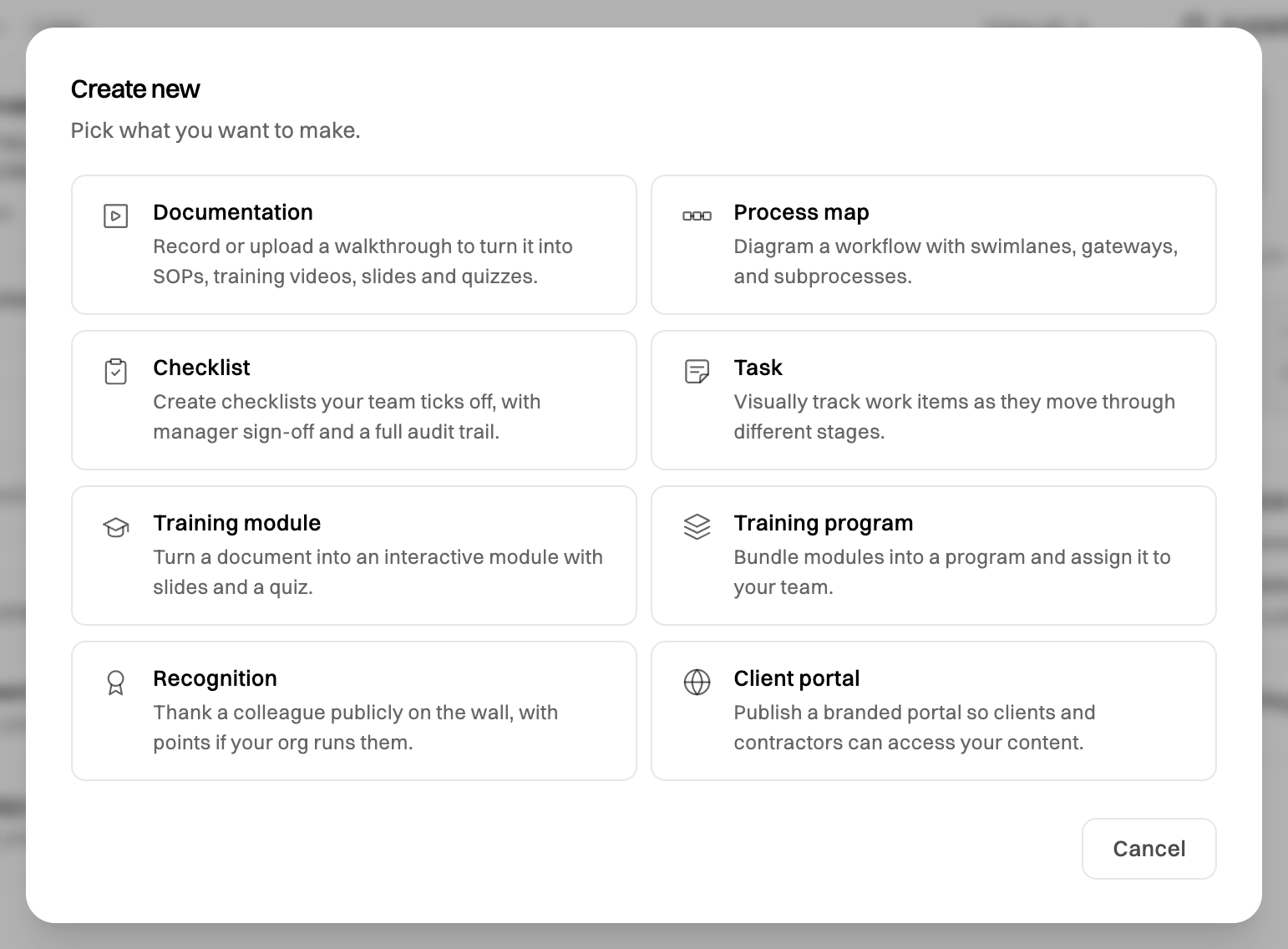
You can start anything from + Create new on Home too. Documentation takes you to Files.
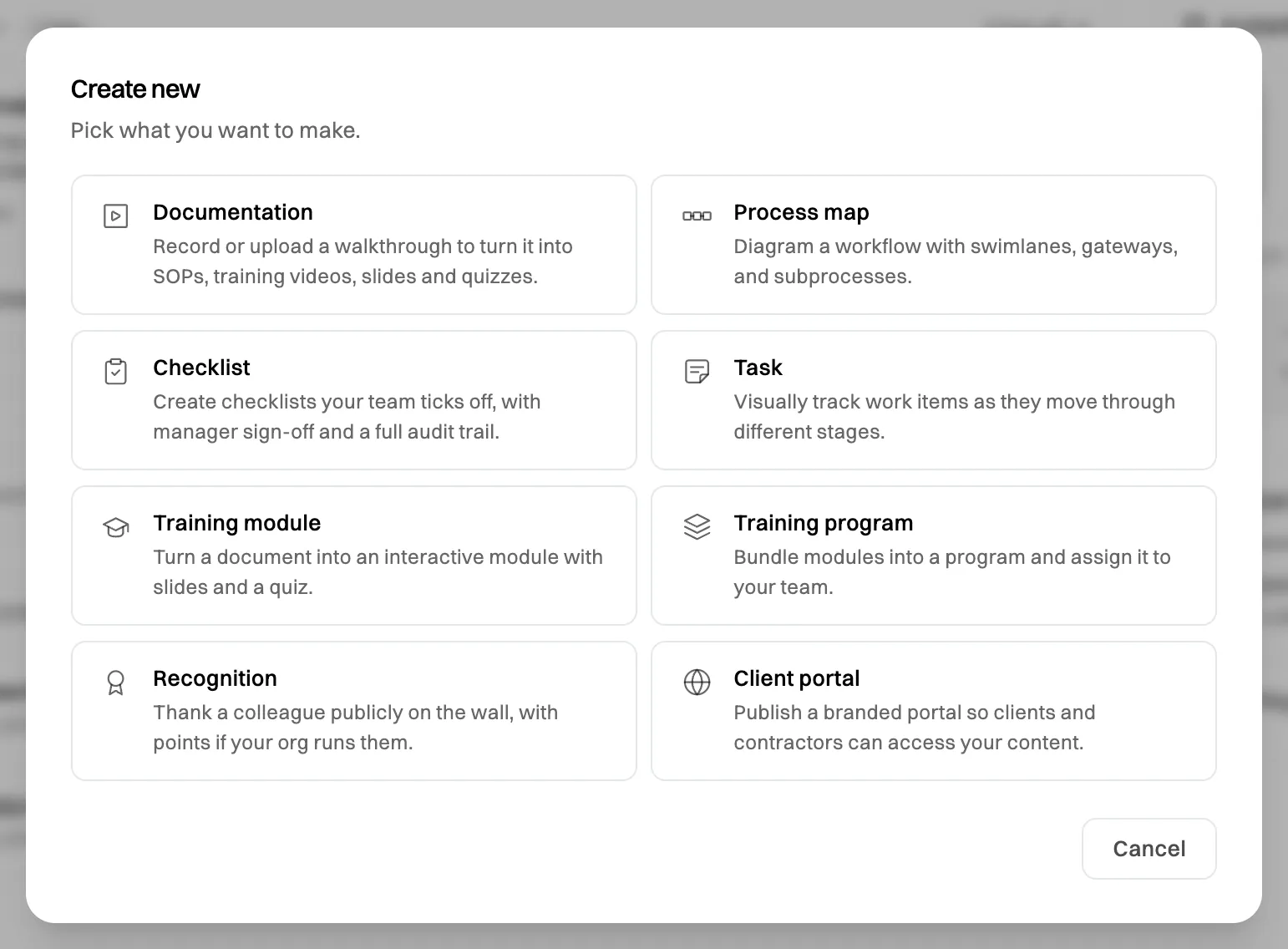
+ Create new on Home is the quickest way to make anything. -
Bring in a colleague (1 minute)
Colleagues who sign up with your company email join your organization automatically, so you can just send them the link. To choose their role yourself, go to Settings›Access, type their email address and click Invite member. You need to be an Admin: the first person from your company is one.
See Invite a member.
What’s next
Section titled “What’s next”- Turn a guide into training. Build a module from a document, with slides and a quiz. See Build a training module.
- Get your team on one plan. Checklists, training programs, the org map and approvals are on the Team plan, and you can try it free for 14 days. See Start a free trial.
- Learn your way around. See A tour of the sidebar.
On the Free plan you can make three of each kind of content. See Plans compared.